

New 10 Saree with Musical Instrument AI Prompts for Artistic Portrayals
This collection brings together ten distinct AI image prompts, all centered on Indian women in elegant sarees and festive attire, often paired with musical instruments or artistic framing. The prompts range from dramatic Gothic archway collages to whimsical origami bird flights, each offering a unique visual narrative and mood. Whether you are a digital artist, a fashion enthusiast, or someone exploring AI-generated art, these prompts provide rich starting points for creating striking portrayals.
Each prompt in this set emphasizes specific fabrics, poses, lighting, and backgrounds, ensuring variety while maintaining a cohesive theme of artistic expression. From pastel silk sarees on cobblestone streets to futuristic neon cyber grids, the collection invites you to experiment with different aesthetics. In this article, we will examine the shared elements, the distinct scenes, and practical ways to bring these prompts to life using popular AI tools.
What these saree and musical instrument prompts are asking for
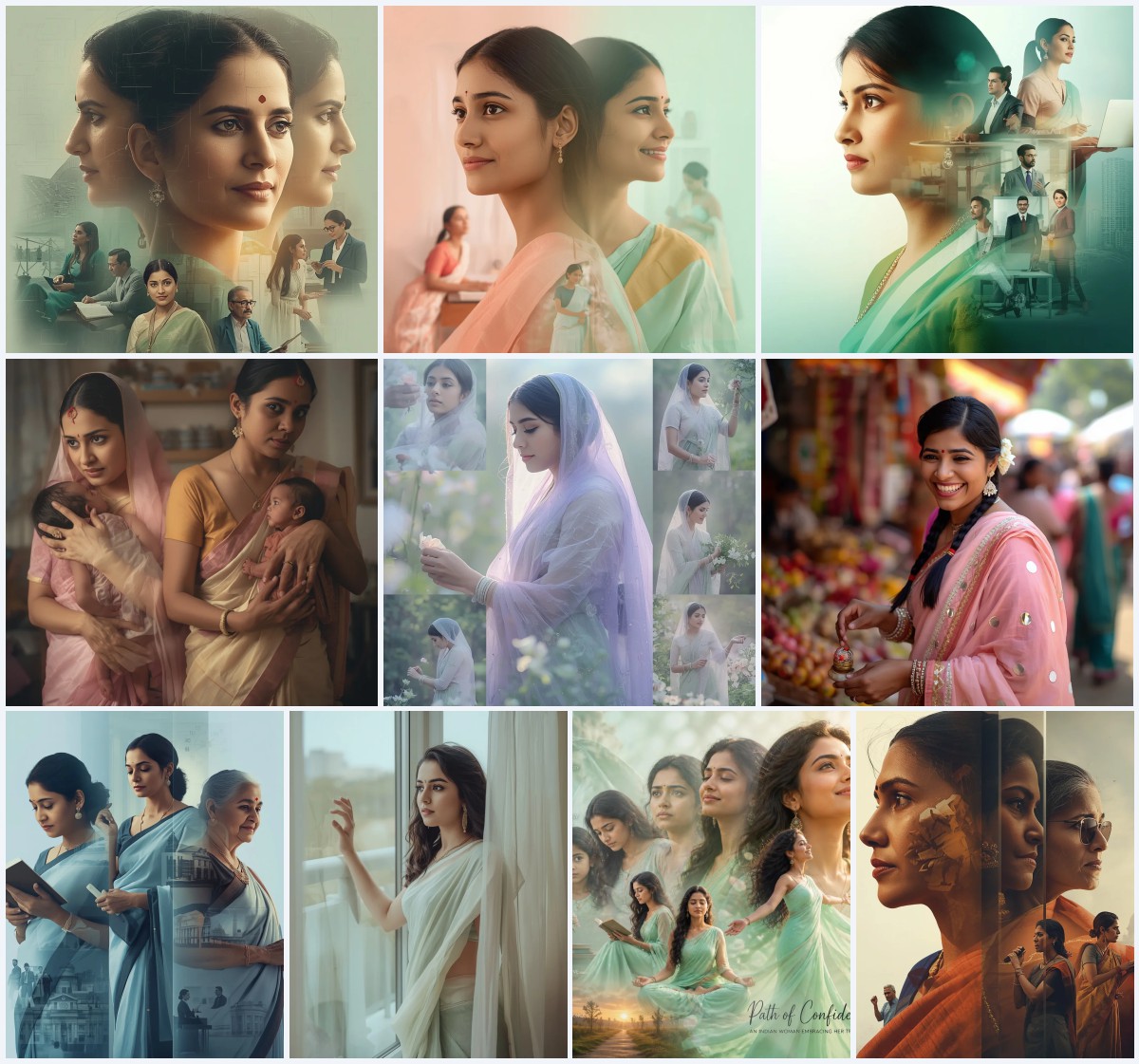
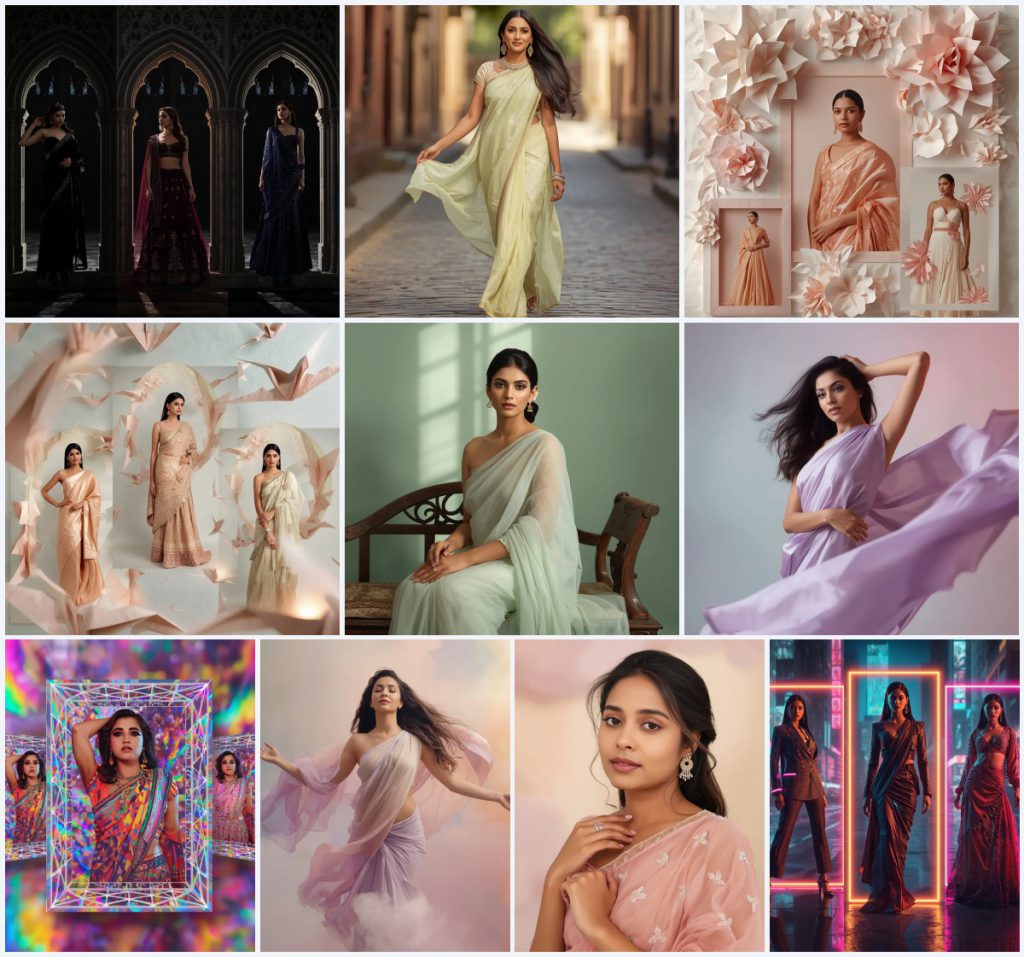
These prompts ask for artistic portrayals of Indian women wearing various traditional and fusion outfits, often with musical instruments or artistic framing elements. The collection includes ten specific card titles: Gothic Stone Archway Silhouette Collage, Elegance in Motion: Indian Woman in a Pastel Silk Saree on a Cobblestone Street, Whimsical Origami Bloom Petal Collage, Whimsical Origami Bird Flight Collage, A Poised Indian Woman Sitting Serene in a Pastel Organza Saree, Graceful Twist: Indian Woman in a Pastel Saree with Dynamic Movement, Psychedelic Holographic Rainbow Grid Collage, Ethereal Beauty: Indian Woman Floating in a Dreamy Pastel Saree, Refined Elegance: Indian Woman in a Pastel Chiffon Saree with Delicate Embroidery, and Futuristic Neon Cyber Grid Cityscape Collage. Each prompt describes a unique scene with specific clothing, poses, and backgrounds, and several include musical instruments or artistic frames that enhance the portrayal.
- A black velvet saree with subtle silver embroidery, a deep plum lehenga with gothic motifs, and a midnight blue fusion gown.
- A pastel butter-yellow silk saree with lightweight fabric flowing dynamically as the woman walks.
- A structured silk saree with sharp pleats, a lehenga with folded fabric details, and a fusion gown with origami-inspired embellishments in soft pastel hues.
- A pastel mint green organza saree with sheer texture and delicate sheen, worn by a woman seated on a vintage carved wooden bench.
- A flowing pastel lavender silk saree swirling around the woman as she twists her upper body gracefully.
- A saree with kaleidoscopic prints, a lehenga with optical illusion embroidery, and a fusion gown with tessellated patterns in vibrant colors.
Setting the scene: from Gothic arches to neon cyber grids
The scenes in this collection vary widely, each creating a distinct atmosphere. For instance, the Gothic collage prompt describes "towering cathedral archways and intricate stone carvings" with "harsh, dramatic backlighting from unseen windows" that creates "strong silhouettes and luminous edges." In contrast, the Elegance in Motion prompt places the woman on a "historic cobblestone street" with "soft, natural sunlight" and a "blurred historic street with old buildings," evoking a timeless, romantic feel.
Other prompts transport the viewer to whimsical or futuristic realms. The origami bird flight collage features "intricate, geometric paper folds resembling flying birds" against a "simple, textured paper wall" with "soft, diffused ambient lighting." Meanwhile, the futuristic neon cyber grid cityscape collage is set in a "blurred, rain-slicked cyberpunk cityscape" illuminated by "harsh, dramatic lighting with vibrant neon highlights and deep shadows." Each scene is carefully constructed to complement the attire and pose, ensuring a cohesive artistic portrayal.
Why these prompts work for artistic portrayals
These prompts are effective because they combine specific visual details with emotional resonance, allowing AI models to generate rich, varied images. They offer a balance of structure and creativity, making them suitable for both beginners and experienced users. Here are three reasons why they stand out.
- They provide clear, descriptive elements such as fabric types, poses, and lighting, which help AI models produce consistent and detailed results.
- The variety of styles—from Gothic to pastel to cyberpunk—ensures that users can explore different aesthetics without leaving the saree theme.
- The inclusion of musical instruments and artistic frames adds layers of narrative, making the generated images feel like scenes from a story rather than simple portraits.
Three distinct styles within this collection
This collection spans three primary styles: dramatic Gothic collage, soft pastel elegance, and vibrant futuristic collage. Each style is defined by its lighting, color palette, and framing, and all remain within the boundaries of the original prompts.
- Gothic collage: The Gothic Stone Archway Silhouette Collage uses dark, ethereal fabrics and cathedral archways to create a mysterious, powerful aesthetic with strong contrasts.
- Pastel elegance: Prompts like Elegance in Motion and Refined Elegance feature pastel silk, chiffon, and organza sarees with soft lighting and blurred backgrounds for a timeless, romantic feel.
- Futuristic collage: The Futuristic Neon Cyber Grid Cityscape Collage incorporates neon grids, holographic elements, and reflective accents for an edgy, cyberpunk vibe.
How to use these prompts step by step
To get the best results from these prompts, follow a structured approach that includes copying the prompt, using a reference image if needed, and carefully reviewing the output. Here are six steps to guide you.
- Copy the prompt. Select the full prompt text from the collection and paste it into your chosen AI image generator.
- Upload a reference. If you have a specific pose or facial feature in mind, upload a reference image to guide the AI, but ensure you have the right to use it.
- Generate the image. Run the generation with default settings first, then adjust parameters like aspect ratio or style strength as needed.
- Check hands and face. Inspect the generated image for common issues like extra fingers or distorted facial features, and regenerate if necessary.
- Check the main object. Verify that the saree, musical instrument, or framing element is rendered correctly and matches the prompt's description.
- Refine and iterate. Make small adjustments to the prompt or settings and regenerate until the image aligns with your vision.
Using a reference photo effectively
A reference photo can significantly improve the accuracy of poses, expressions, and attire details. When using one, keep these three points in mind.
- Choose a high-resolution photo with clear lighting and minimal background clutter to avoid confusing the AI.
- Ensure the reference photo matches the desired pose and angle, as the AI will try to replicate those elements.
- Only use photos you have the legal right to edit or reproduce, such as your own images or those with proper licensing.
AI tools for generating these saree portraits
Different AI tools offer varying levels of realism and control. The table below compares four popular options and their usefulness for this specific prompt collection.
| Tool | Access | Typical realism | Useful here for |
|---|---|---|---|
| ChatGPT | Web, API | Moderate | Generating descriptive text variations or brainstorming poses, but not image creation. |
| Google Gemini | Web, API | Moderate to high | Creating images with detailed prompts like the pastel silk saree on a cobblestone street. |
| Leonardo AI | Web, app | High | Producing realistic fabric textures and lighting for the Gothic collage or origami scenes. |
| Midjourney | Discord, web | Very high | Rendering intricate details like the holographic rainbow grid collage with vibrant patterns. |
Tips for better results with these prompts
To enhance the quality of your generated images, consider these three tips that reference specific materials and objects from the prompts.
- When working with the pastel butter-yellow silk saree, specify the fabric's sheen and flow in your prompt to avoid a flat appearance.
- For the Gothic collage, emphasize the contrast between the black velvet saree and the silver embroidery to ensure the details stand out.
- In the origami bird flight collage, mention the sharp pleats and folded fabric details to help the AI capture the sculptural quality.
Common issues and how to fix them
Even with detailed prompts, AI generators can produce unexpected results. The table below lists four common issues and what to change to resolve them.
| Issue | What to change |
|---|---|
| Distorted hands or fingers | Add negative prompts like 'extra fingers' or 'bad hands' and regenerate, or use a reference photo with clear hands. |
| Fabric texture looks flat | Include more descriptive terms like 'sheer texture' or 'delicate sheen' and specify the lighting direction. |
| Background elements overpower the subject | Reduce the complexity of the background description or lower the style strength to keep focus on the woman. |
| Musical instrument is missing or malformed | Explicitly mention the instrument in the prompt and check if the AI model supports detailed object generation. |
Frequently Asked Questions
Can I use these prompts with any AI image generator?
Yes, most text-to-image generators can interpret these prompts, but results will vary. Tools like Midjourney and Leonardo AI tend to produce higher realism for fabric and lighting details.
Do I need a reference photo to get good results?
Not necessarily, but a reference photo can help with pose accuracy and facial features. Just ensure you have the right to use any photo you upload.
How can I avoid common issues like distorted hands?
Use negative prompts, generate multiple times, and inspect the output carefully. If issues persist, try a different AI tool or simplify the pose description.
Conclusion
This collection of ten saree with musical instrument AI prompts offers a diverse range of artistic portrayals, from Gothic collages to pastel elegance and futuristic cyber grids. By understanding the shared elements, experimenting with different styles, and following practical steps, you can create stunning images that capture the beauty and grace of Indian women in traditional and fusion attire. Whether you are a seasoned AI artist or just starting out, these prompts provide a solid foundation for your creative projects.
Always ensure you have the right to edit and use any photo you upload as a reference.